Is now a good time?
Clocks tell you the time there. Whenabouts tells you whether to call · a people clock for your Mac's menu bar, every person's day on one strip, in their time zone.
Coming soon to the Mac App StoreFree for two people · one $9.99 purchase for everyone else, forever · Family Sharing · no subscription

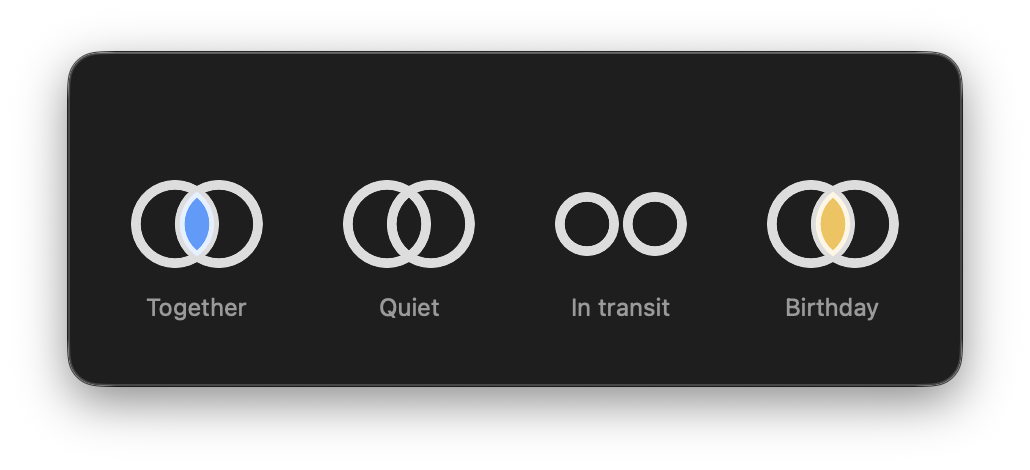
One glance, four ideas
The two circles live in your menu bar. Overlapping and lit means someone you starred is free right now. Separated means you are in transit. Gold means it is someone's birthday. That is the whole vocabulary.
· Their day, their time
Each bar runs midnight to midnight in that person's zone: asleep, at work, free. The little face stands at their now, like a hand on a clock.
· Your calendar painted in
Your own band shows real events in their calendars' own colors. Overlap is something you see, not something you compute.
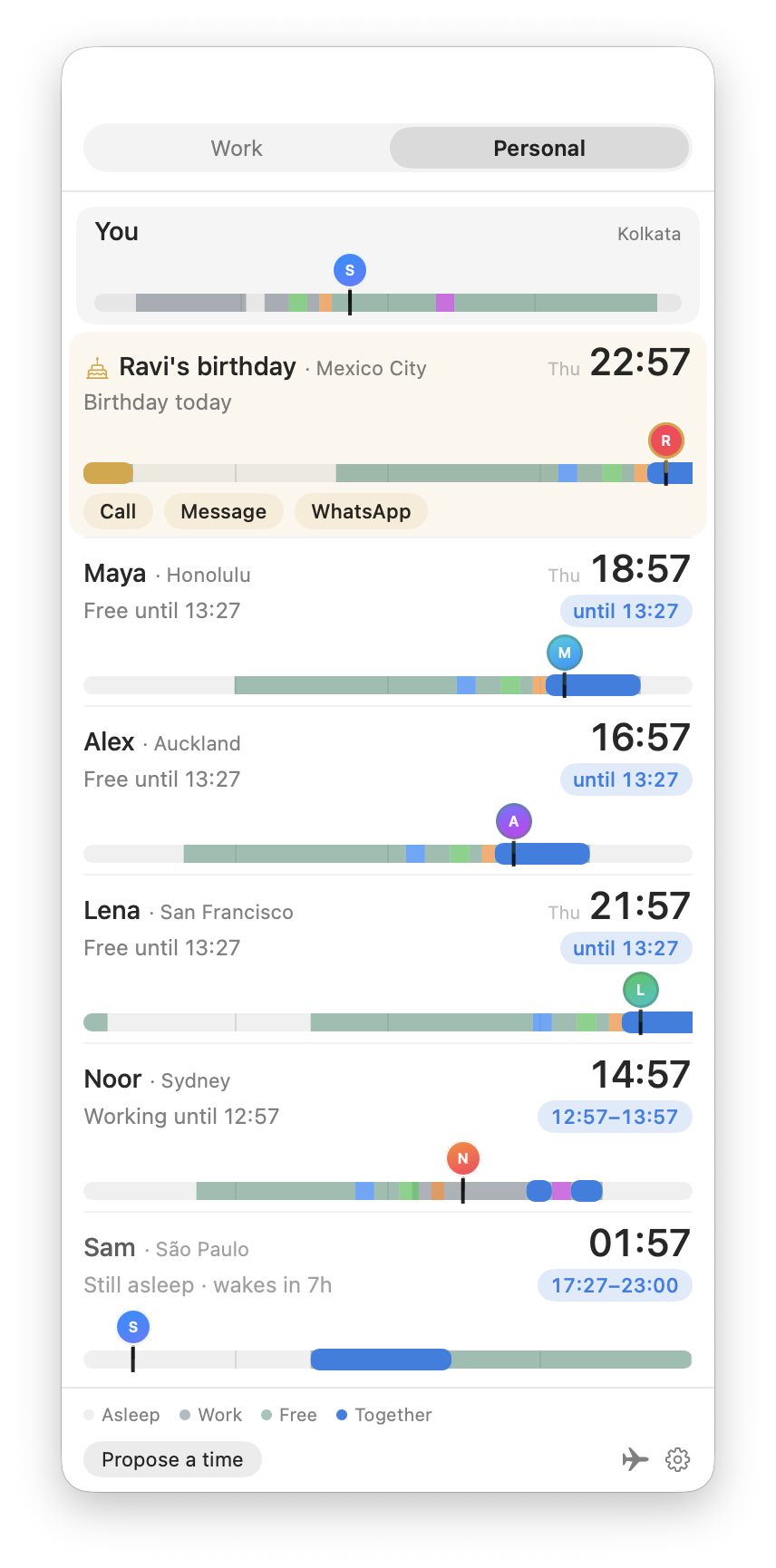
Birthdays turn gold
The day comes straight from Contacts. The row turns gold, the mark turns gold, and the call is one click. You will never open the app to a missed birthday.
· It knows when you fly
Mark a travel day and the circles separate. When you land, every clock and every window retunes to where you are.
· Meetings end early
Finished before the calendar says? One click frees your windows for real. One click undoes it.
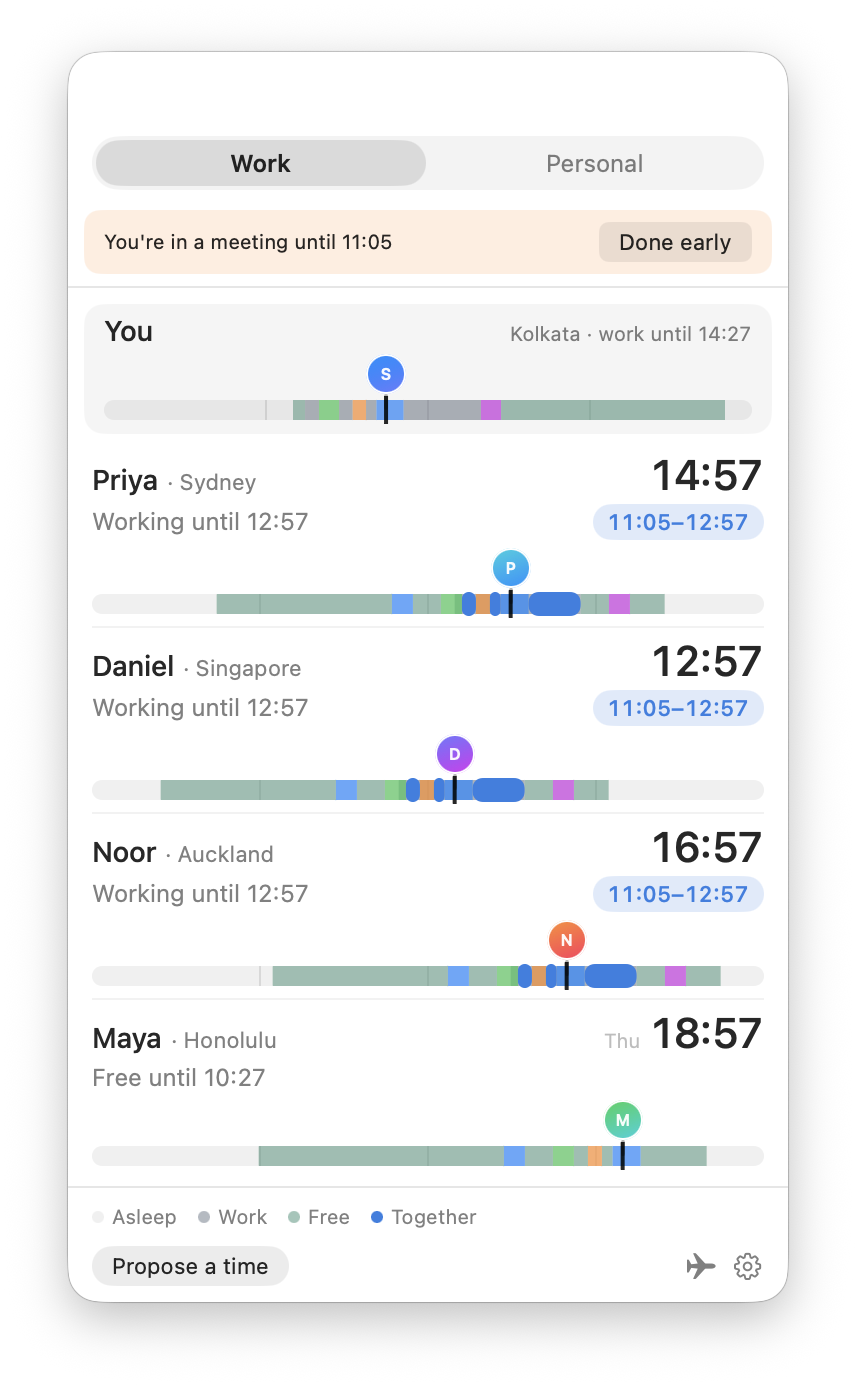
Work and personal, separate
Colleagues appear during work hours, family and friends after. One switch, two rooms · and a cousin who is also a colleague can live in both.
Faces on your desktop
Person, timeline, and world clock widgets, drawn from the same living schedules as the menu bar.

Private by architecture
No server, no analytics, no account. Whenabouts never opens a network connection of its own: your data lives on your Mac and in your own private iCloud, and nowhere else. Calendar and Contacts are read on your Mac, only with your permission, and never leave it. The whole privacy policy is one paragraph.